


How might we help users easily get
the most out of their phone's battery life?
In early 2016, Samsung was preparing for the next flagship model, which had cutting-edge large displays, faster CPUs, breakthrough cameras, and other security features connected with the various biosensors. However, due to the powerful specifications, it required more battery power than ever before.
As mobile battery life has always been far below expectations and the industry does not produce battery-interchangeable smartphones anymore, it came down to software solutions to fill the gap between the powerful specs and the powerless batteries.
For this reason, redesigning the battery UI was chosen as one of the top projects for the next flagship model. I agreed to take a role as UX project lead for this but ended up leading the entire settings UX project since the team was under heavy pressure to make a difference to the SEUX within a short amount of time.
After the numbers of iterations, the feature has been thoroughly optimized more than any other power managers in the market. Apart from the infamous battery HW, the feature has been welcomed by the users and referenced by the industry as well.
Note: Some images may not be the same as the current version due to the frequent SW updates.



Clear, customizable, rewarding
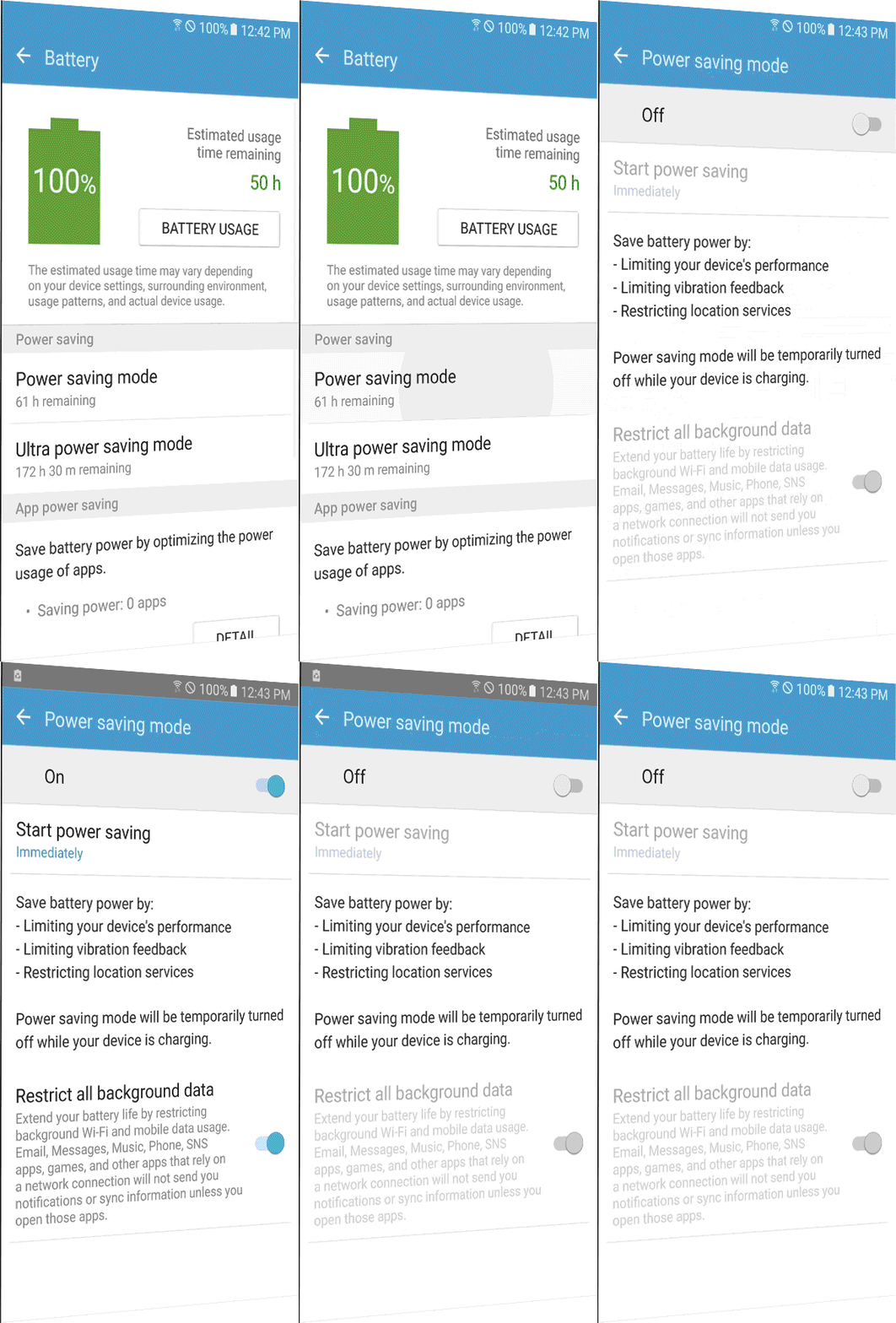
Despite the rising need for power-managing SW, third-party apps were not reliable and most of the bundled apps were far from being user-friendly, including the Touchwiz battery setting on the left-hand side.
It rather looked like a system setting for developers that would cause trouble if the users touched any of it. Usually, the overwhelming instructions scared the users from giving it a go. Also, it only offered the all-or-nothing options that didn’t leave room for customization.
To solve this, we set our goal to bring a simple interface which shows a clear reward, the battery life increase, and also offer customization UI to fit the detailed needs.
-
Increase affordance
-
Enable customization
-
Improve consistency
HIGHLIGHTS | APPROACH
Focus on action
Action focused winset & description
Touchwiz's battery UI lacked the affordance of intriguing the users to activate the power saving options. It was simple but not clear what to do when you first encountered the screen.
The update below helped the users quickly scan the battery status and promptly choose the relevant option without going back and forth between each sub-depth for details.
-
Replaced list with button type
-
Left only the info that provokes action
-
Removed redundant descriptions
Battery main


NEW


HIGHLIGHTS | INCREASE AFFORDANCE
Raise awareness
Saving battery life means limiting features and/or device performance. Therefore, it is important to inform users what they lose to get more power before they use this function. However, the Touchwiz's power saving modes used a full page of text explaining the difference when turned on, below the on/off button. This often made users ignore the information or leave the screen. As a result, some would take the activated status as a system error and even file complaints with customer services.


Battery main
PSM Details

PSM_ON
Scannable info & Memorable flow
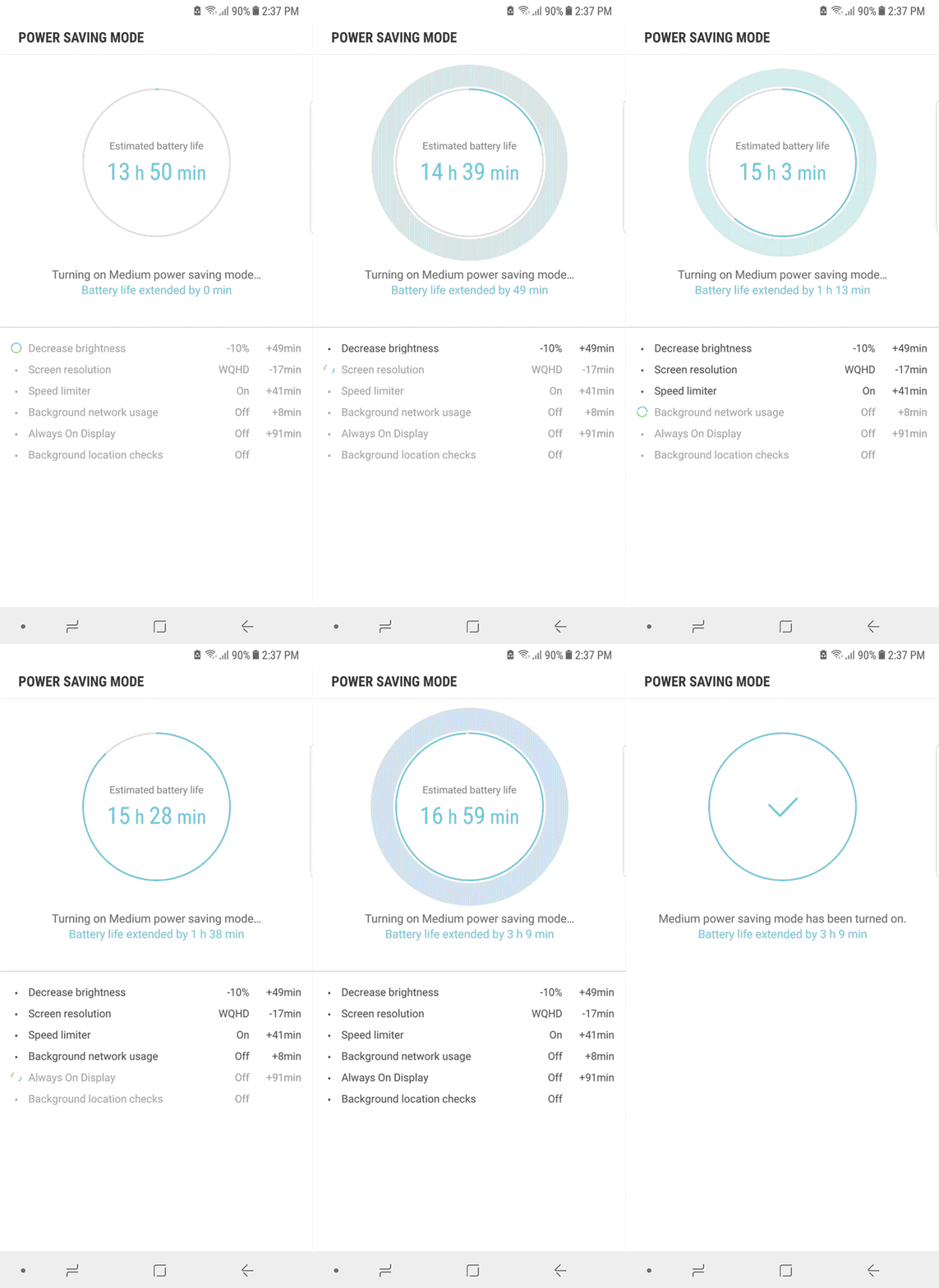
To fix these issues, we transformed the sentences into a scannable, comparable, and memorable format.
-
Used table style instead of paragraphs for a faster comparison
-
Put the action button below the table to make sure users check it before turning it on
-
Animated the table and displayed it along the progress bar as a reminder
NEW
Battery main


PSM Details

Animated report
PSM_ON

HIGHLIGHTS | ENABLE CUSTOMIZATION



Save as you wish
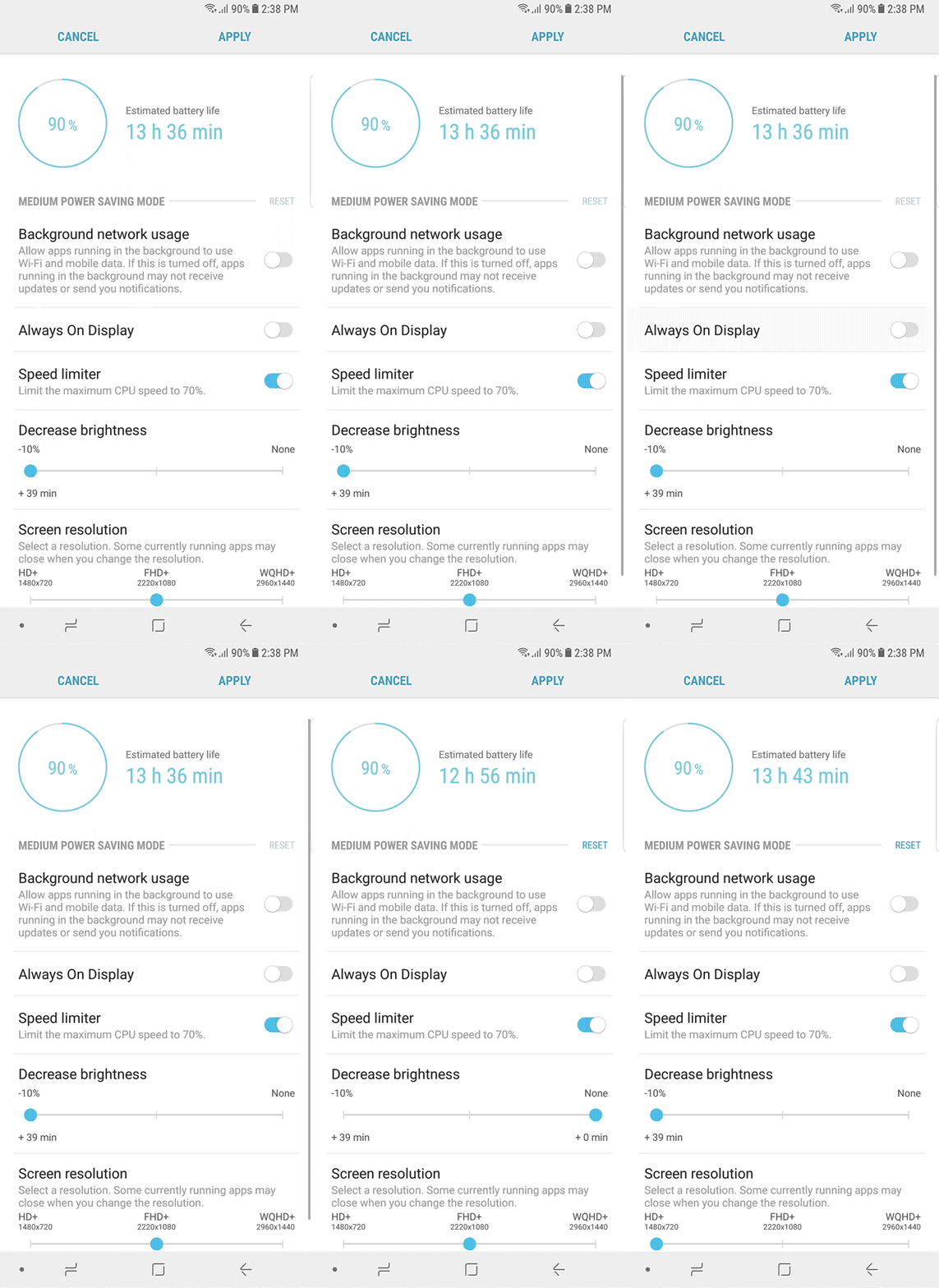
We added a customizable UI to satisfy the different usage scenarios of experienced users. They can now configure their preferences within the range of each mode.
Intuitive benefit display
To help the users to make easier decisions, we focused on clearly showing the trade-off between limiting features and extending the battery life.
When adjusting, the extended or decreased battery life is displayed on each level. It also sums up the expected time extension on the dashboard at the top of the screen.
HIGHLIGHTS | IMPROVE CONSISTENCY
Maximize Max usability
Uplifting the usability of Max power saving mode
With Maximum power saving mode on, by default, the battery can last for around two days. This comes in handy if you are running out of battery but need time to reach a charger, such as if you are traveling or in an emergency situation. However, the mode offers more extremely basic options than necessary.
More features with full color
Working closely with SW and HW, and cautiously evaluating and optimizing the features, we were able to support full color with an increased number of third-party apps. Also, we brought back the consistency with normal status interface in many places. All these are done within the same power saving performance.


Add apps
Settings
Home
Home
NEW
Add apps


Home

Quick Panel
Battery main
“

It’s light years ahead, with the S8's clever battery management and power-saving tips getting you well through a day in normal use.”
Gareth Beavis | TECH RADAR
